
Login As User 1.0.0
- Seller Uvopia
- Creation date

Overview Feature list Copyright info Releases (1) Discussion

"I can't see the forum you mentioned." "The button isn't there for me." Permission problems are hard to
fix from the outside. Login as User lets trusted staff step into a member's shoes, see exactly what they
see, and step back out.
**Getting in.** Staff can log in as a member from three places:
- "Log in as this member" in the moderator menu on member cards;
- the same item on profile pages;
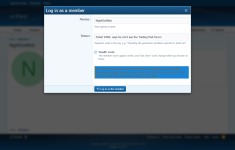
- "Log in as a member…" in the staff bar.
A short form asks for the reason, which is required by default and recorded. A stealth option means the
member doesn't show as online and their "last seen" doesn't change while you look around.
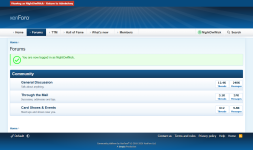
**Getting back.** While logged in as someone, a bright "Viewing as [member] · Return to [you]" link sits
at the top of every page. One click returns you to your own account. It works even when the member is
banned, disabled or has unaccepted rules pending.
**Safety.** Your Admin CP session stays yours the whole time. Switching doesn't touch the member's
"stay logged in" cookie or their login history.
**Protection.**
- Nobody can log in as a super administrator.
- Other administrators are off limits, unless you choose to let super admins do it.
- You can protect individual members by name or ID, or whole user groups.
- Staff can't chain from one member to another; they must return first.
Every login is logged in the Admin CP (Logs → Login as User log): who logged in as whom, when, why,
from which IP, whether stealth was on, and when they returned. The log can be filtered by name and
cleared.